
Introduction
Welcome Students!
Have you ever wondered how computers communicate information to us? Every time you watch a video, hear music from speakers, or print a document, you are using an output device.
In this WebQuest, you will become technology investigators as you explore different output devices and discover how they are used in everyday life. You will watch a digital story, participate in discussions, play an interactive PowerPoint game, and solve real-world technology problems with your classmates.
Task
Cognitive Objectives
- Define the term output device in one accurate sentence.
-
Identify at least four out of five output devices correctly.
-
Explain the function and purpose of at least three output devices.
-
Select suitable output devices for different situations and justify their choices.
Psychomotor Objective
-
Manipulate the interactive PowerPoint game to match output devices with their names and functions.
Affective Objective
-
Demonstrate teamwork, participation, and engagement during discussions and activities.
Final Task
In groups of three, students will complete:
-
A short discussion activity
-
An interactive PowerPoint challenge
-
A scenario-based problem-solving activity
Each group will present their answers to the class.
Process
Step 1: Ice Breaker Activity
The students will answer questions such as:
- What computer devices do you already know?
-
Which devices help us see or hear information from the computer?
This activity will activate students’ prior knowledge.
Step 2: Watch the Digital Story
Students will watch a short digital storytelling video introducing output devices.
The video will include: Images of output devices, Audio explanations, Real-life examples.
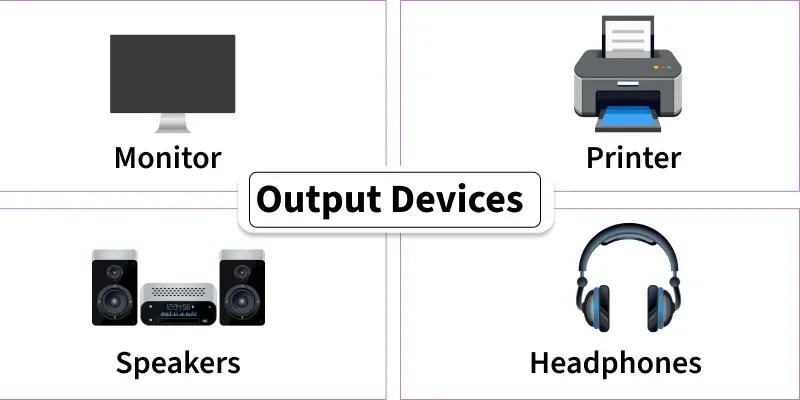
Examples shown: Monitor, Printer, Speakers, Headphones and Projector
During the video, Students will take brief notes while watching of;
-
What is an output device?
-
What does a monitor do?
-
Which device produces sound?
-
Which device prints information onto paper?
Step 3: Guided Group Discussion
Students will work in groups of three to discuss the following questions:
-
List four examples of output devices.
-
Explain the function of each device.
-
Discuss how output devices are useful in everyday life.
Example Table
|
Output Device |
Function |
|---|---|
|
Monitor |
__________________ |
|
Printer |
___________________ |
|
__________ |
Produce sound output |
|
___________ |
__________________ |
The teacher will observe students using a checklist to record participation and understanding.
Step 4: Interactive PowerPoint Game
Students will participate in an interactive quiz-style PowerPoint game.
The game will require students to:
-
Identify output devices from pictures
-
Match devices with functions
-
Answer multiple-choice questions
-
Solve real-life technology scenario
Resources:
- https://www.geeksforgeeks.org/computer-science-fundamentals/what-are-different-output-devices/
-
Teacher-created PowerPoint game https://docs.google.com/presentation/d/1VisE8Gh_7S966A1xV9QQevziIGWTt7PA/edit?usp=sharing&ouid=106276898938440955052&rtpof=true&sd=true
-
Digital Story
Evaluation
Students will be assessed using the following rubric:
|
Criteria |
Excellent (5) |
Good (3) |
Satisfactory (2) |
Needs Improvement (1) |
|---|---|---|---|---|
|
Participation |
Participated actively throughout |
Mostly participated |
Participated sometimes |
Rarely participated |
|
Identification of Devices |
Correctly identified all devices |
Minor errors |
Some correct answers |
Many incorrect answers |
|
Explanation of Functions |
Clear and accurate explanations |
Mostly accurate |
Limited explanations |
Incorrect explanations |
|
Group Collaboration |
Worked effectively with group |
Worked well |
Some participation |
Limited cooperation |
Total Score: ____ / 20
Conclusion
Excellent Job!
You have successfully explored different types of output devices and learned how they help computers communicate information to users. You discovered that output devices are important in schools, homes, offices, and for entertainment. Understanding output devices helps us use technology more effectively in our daily lives. As technology continues to grow, learning about computer hardware will help you become more confident and responsible digital learners.
Keep exploring technology and discovering new ways computers help us every day!
Teacher Page
Subject: Information Technology
Topic: Output Devices
Grade: 7
Duration: 60 Minutes
specific Objectives:
Students should be able to:
-
Define the term output device.
-
Identify examples of output devices.
-
Explain the functions of output devices.
-
Select suitable output devices for different scenarios.
-
Use the interactive PowerPoint game to match output devices with their functions.
-
Demonstrate participation, cooperation, and engagement during activities.
Learner Characteristics
The class consists of 24 students aged 12–13 with varying learning styles and academic abilities. Students are familiar with basic computer hardware and respond positively to collaborative and interactive activities.
Learning Styles
-
Visual
-
Auditory
-
Kinesthetic
Materials and Resources
- Digital storytelling video
-
Interactive PowerPoint game
-
Smartboard/projector
-
Computers
Ice breakers
Students interact with a digital story character while discussing computer hardware and prior knowledge.
Activity 1: Digital Story
Students watch a short video introducing output devices while answering guiding questions.
Activity 2: Group Discussion
Students work in groups to define output devices, identify examples, and explain functions.
Activity 3: Interactive PowerPoint Game
Students complete quiz-style activities where they identify devices, match functions, and solve scenarios.
Assessment
Students will be assessed through:
-
Group discussions
-
Teacher observation
-
Interactive PowerPoint responses