
Introduction
Information Technology
October 19, 2021
Topic: Keyboarding and mouse skills such as (correct placement of hands while using the mouse and keyboard, keyboard home keys, correct posture while using the computer system, keyboard keys, mouse buttons
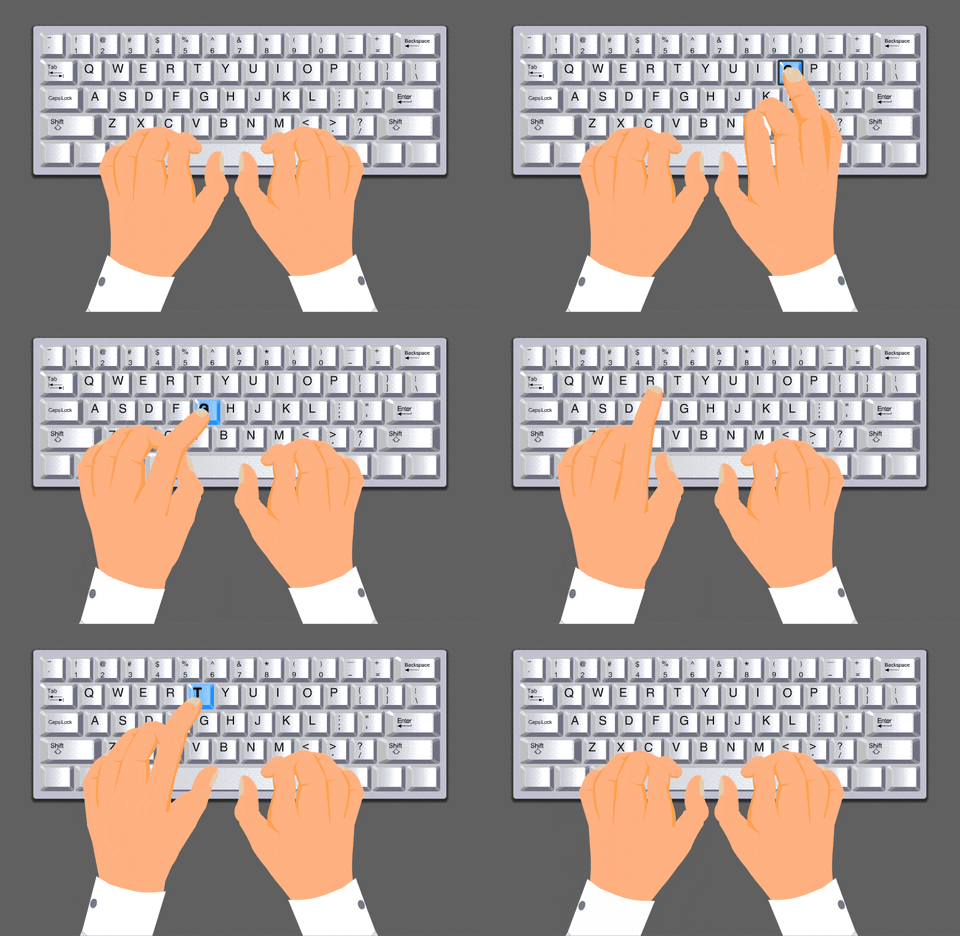
Good Morning students, today we will be learning about how to properly use the keyboard and mouse while following some basic guidelines.
At the end of the PowerPoint and videos please answer the questions that follow.
Task
View the PowerPoint and the videos and answer the questions that follow
https://www.slideshare.net/AnaMariaBirtea/touch-typing-skill-21578831&n…;
Process

1. What is keyboarding?
2. Which letters or keys should your left hand be on?
3. Which letters or keys should your right hand be on?
4. How should you be seated when using the keyboard?
5. Name the different parts of the mouse.
6. Draw your hand and label each finger correctly
7. How should your fingers be positioned when using the mouse?
Evaluation
In a short video no longer than 1 minute. tell me what you learned today about keyboarding and using the mouse. DON'T FORGET TO PRACTICE THESE WHEN USING YOUR DEVICES.

Conclusion
Using the keyboard and mouse properly is extremely important as it ensures greater accuracy and speed when using the computer. However, we have to ensure that we use them safely to avoid harming ourselves. We must practice proper posture and follow all guidelines when using these devices.