
Introduction
In today’s digital world, they are expected to manage a great deal of technology–at least three different platforms to input their own data, student attendance, grades, and lesson plans. They are required to help their students access multitudes of apps and websites for various learning and support. They are also expected to view and use data they or others gather to inform instruction.
QUESTIONS:
1. How can you say that you are fully aware in the use of digital applications?
2. Are you sure that you are a responsible user?
Digital Tools
Digital tools are programs, websites or online resources that can make tasks easier to complete. A lot of these can be accessed in web browsers without needing to be downloaded, and you can access them both at home and in work.

Video or movie maker app is considered a digital tool that can be used to help students create a movie to help explain a concept they're learning. Other digital tools and resources include: Word processing documents. Slide presentation software. Digital tools have important advantages for making processes more consistent, secure, efficient, and effective. As institutions support staff and students across a broader range of geographies with a broader set of needs, the case for digital solutions only grows.
Task
At the end of the lesson you should:
1. Know the usage and differences of the tools.
2. Can edit and create your own project using the different tools that will be presented.
3. Demonstrate and share knowledge about the digital tools including how will be a responsible user.
4. Be aware to its benefits.
Process
Eight Categories with its Function and Features
Eight Categories: Online Bibliography and Citation, Photo and Image Editing Tools, Survey, Polls and Quizzes Tools, Web Conferencing Tools, Stock Photos Sites, Video Tools, Testing and Quizzing Tools and PDF Tools.
-
Online Bibliography and Citation
Citation Machine

Citation Machine can help students and professional researchers to properly credit the information that they use. Its primary goal is to make it so easy for student researchers to cite their information sources using both MLA and APA style.
EasyBib

EasyBib is an intuitive information literacy platform that provides citation, note taking, and research tools that are easy-to-use and educational. EasyBib is not only accurate, fast, and comprehensive, but helps educators teach and students learn how to become effective and organized researchers.
-
Photo and Image Editing Tools
Adobe Photoshop Express

For the longest time, people tried to find a free version of Photoshop, preferably online. Until one day, Adobe finally heard their prayers and launched Adobe Photoshop Express, a trimmed-down online and mobile version of the industry’s leading software. Unlike its paid counterpart, Adobe Photoshop Express is not aimed at professional photographers and media creators, but to beginners or those looking for high-quality software for quick edits. This can be easily noted on the features offered and their accessibility. With Adobe Photoshop Express you’ll be able to access basic image editing actions, such as contrast, perspective, saturation, exposure, and spot removal, as well as selecting preset dynamic effects. While there are not nearly as many tools as in the professional version, they are polished to perfection and offer a great user experience. The Express version of Adobe’s photo editing software also includes a “decorate” category, which allows users to add text and easily create fully customizable collages.
Photoscape X

PhotoScape X’s list of tools seems to be nearly infinite. The software, which is described as an “all-in-one photo editing software” is heavily focused on one-click enhancement features that allow beginners to easily bring their ideas to life. The program includes thousands of filters, frames, brushes, shape crops, smart cut out tools, a color picker, and clone stamps. Photographers will be able to take full advantage of the RAW conversion feature, while those with a large collection of images to process will be happy to hear about the several batch editing tools the software includes, such as format change, resize, and rename. PhotoScape X’s capabilities also include much more creative options, such as collage, merging, stickers, effects, text, and brushes. These tools are especially catered to users who want to create original content for their social media profiles or email marketing campaigns. In order to make sure users make the most of the tens of thousands of creative options in PhotoScape X, the photo editor’s website includes a long list of video tutorials that show how to use each tool to achieve the desired effect. If you are interested in more advanced tools, check out the software’s paid version, which includes a wide selection of manual editing tools.
-
Survey, Polls and Quizzes Tools
Hot Potatoes

Hot potatoes is the classic software for creating interactive online quizzes. The Hot Potatoes suite includes six applications, enabling you to create interactive multiple-choice, short-answer, jumbled-sentence, crossword, matching/ordering and gap-fill exercises for the World Wide Web.
EasyTestMaker

EasyTestMaker is an online test generator to help you create and manage your tests! Create, print and publish your tests online! EasyTestMaker makes it easy for you to perfectly format multiple question types, print alternate versions, and publish to the web for online tests. Online tests are automatically graded! Features Why you should use EasyTestMaker. Perfectly formatted tests Create multiple choice, fill-in-the-blank, matching, short answer and true or false questions. Add instructions and divide your test into multiple sections. Online tests graded automatically Published online tests are graded automatically. View and print student's results and override grading when necessary. The same test you print, is the same test you publish online
-
Web Conferencing Tools
Zoom

Zoom is a cloud-based video conferencing service you can use to virtually meet with others - either by video or audio-only or both, all while conducting live chats - and it lets you record those sessions to view later. You don't need an account to attend a Zoom meeting, and the platform is compatible with Mac, Windows, Linux, iOS, and Android, meaning nearly anyone can access it. In 2020, Zoom has become one of the leading video conferencing software apps. It enables you to virtually interact with co-workers when in-person meetings aren't possible, and it thas been hugely successful for social events, too.
Skype
Skype is software that enables the world's conversations. Millions of individuals and businesses use Skype to make free video and voice one-to-one and group calls, send instant messages and share files with other people on Skype. You can use Skype on whatever works best for you – on your mobile, computer or tablet. Skype is free to download and easy to use. If you pay a little, you can do more – like call phones and send SMS. You can pay as you go or buy a subscription, whatever works for you. And in the world of business, this means you can bring your entire ecosystem of workers, partners and customers together to get things done.
-
Stock Photos Sites
Flickr

Flickr is a photo-sharing platform and social network where users upload photos for others to see. Users create a free account and upload their own photos (and videos) to share with friends and followers online. Over 10.000 of photos tagged as free, are available for use. There is no need to give credit or to fear rights infringement. These images are posted by their creators. By posting on the Flickr group, you're allowing freedom of use for your material as well
Pexels
Pexels provides high quality and completely free stock images for personal and commercial use. This plugin helps you search, browse and download those photos directly to your WordPress site, giving you the benefits of hosting them (cropping, compressing, caching etc.).
-
Video Tools
Powtoon
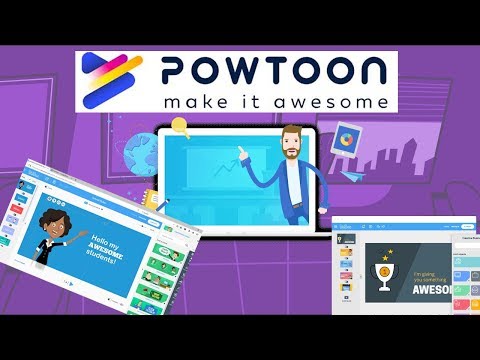
Powtoon is an online platform for creating short video presentations. Powtoon gives anyone the ability to create professional videos and presentations. You can select from royalty-free libraries of animation, live-action video, images, designed backgrounds, soundtracks, and moving graphics, or you can use your own visual content and voiceover. Students can create quality animated video presentations to showcase their understanding of a specific topic. Teachers can also create their own Powtoons as an alternative approach to teaching topics.
Filmora

When Filmora is a line of video creation and editing applications developed by Wondershare. Filmora includes products for a range of users from beginner to intermediate. Common features of Filmora include a timeline, preview window, and effects library, navigated and controlled using a drag-and-drop interface. The Filmora software library is compatible with Windows and macOS computers. Free trials are available to demo the product before purchasing. Pricing options for the various programs are available on the official Filmora website.Versions of Filmora: Filmora - a simple, entry-level desktop video editor with preset video templates and effects. FilmoraPro - a premium version of Filmora with more industry-standard features, like color grading, keyframe-based animation, and customizable effects. FilmoraGo - a mobile version of Filmora developed for Android and iOS smartphones. FilmoraScrn - a screen recording application for Windows with built-in editing tools it comes to video editing software. Filmora is about as multi-faceted as they come. Filmora is Wondershare’s standard, simple, high-quality video editing offering; but Wondershare also offers FilmoraGo (for mobile editing) and Filmora Scrn (for screen recording and editing). The design is intuitive and easy to use, and comes replete with filters, overlays, motion elements, transitions, and a small selection of royalty-free music.
-
Testing and Quizzing Tools
Kahoot!
Kahoot! is a student response app that’s a class favorite thanks to its lively game-like interface. You simply add your multiple-choice questions on the website, or choose from the already created quizzes, and give your students the game PIN. You can even add videos, images, and diagrams to your questions. Your students will be fully engaged as you present the quiz questions and they race to not only get the answer correct, but get it in first. Don’t be surprised if they ask you to play again.
Classkick

Classkick is a great whiteboard-type app that allows the teacher to monitor students’ work in real time. You can create a lesson using any subject area content and simply screen clip right onto the slide, add links, a recording, video, and any needed additional text—then it’s ready for your students! As students work though the lesson on their device, you can see thumbnails of their work, which can be expanded to full screen. Students can raise their virtual hand for assistance from you, or even anonymously from other students, and write on the student screens to assist.
-
PDF Tools
Adobe Acrobat Pro DC

Adobe Acrobat is one of the PDF applications that was pioneered by Adobe systems. This software allows you to view PDFs offline and online. It also allows you to create, edit, manage, and print PDF files with ease. In this article, I will give you a full explanation of what is Adobe Acrobat. However, some users are scared by the high price of Adobe Acrobat, so before I introduce Adobe Acrobat, I'd like to recommend you a cheaper alternative.
PDF Architecture 8

PDF Architect is a PDF viewer and editor that lets you create, view and modify PDF files. It gives you full control over your PDFs and allows you to adjust them to your requirements. This powerful PDF editing tool grows with your demands. PDF Architect is the affordable alternative to expensive PDF software. The free version of PDF Architect already allows you to view, rotate, delete and rearrange pages as well as merge multiple documents. Additionally, extensive features are available.
Evaluation
WRITTEN WORKS:
1. How will you practice using the different tools if you are not totally familiar with it?
2. Does these tools can really help you as a student in today's era?
Post your answer in Neo LMS.
PERFORMANCE TASK:
Make a vlog about your day and edit it in Filmora, post it on your You Tube account with a caption "Tuhday" and a hashtag #DigitalTool.
Submission is until: May 15, 2021
Conclusion
Benefits of Digital Tool in Students Learning
March 13, 2017
Blog
Panworld Education
Digital learning is replacing traditional educational methods more and more each day. With how rapidly classrooms are changing, it is best to forget methods you may remember from when you were in school and start thinking about newer teaching and learning techniques based on digital learning tools and technologies. The inclusion of digital learning in the classrooms can vary from simply using tablets instead of paper to using elaborate software programs and equipment as opposed to the simple pen. This could entail using sites, services, programs, teaching tools, and technologies like study aids built for at-home use. Even social networks and communications platforms can be used to create and manage digital assignments and agendas. Irrespective of how much technology is integrated into the classroom, digital learning has come to play a crucial role in education. It empowers students by getting them to be more interested in learning and expanding their horizons. Here is how digital learning is a step up from traditional education methods.
Digital Learning Makes Students Smarter
Learning tools and technology enable students to develop effective self-directed learning skills. They are able to identify what they need to learn, find and use online resources, apply the information on the problem at hand, and even evaluate resultant feedback. This increases their efficiency and productivity. In addition to engaging students, digital learning tools and technology sharpen critical thinking skills, which are the basis for the development of analytic reasoning. Children who explore open-ended questions with imagination and logic learn how to make decisions, as opposed to just temporarily memorizing the textbook.
Digital Learning Is Making Students Self-Motivated and More
Students using digital learning tools and technology become more engaged in the process and more interested in growing their knowledge base, they may not even realize that they’re actively learning since they’re learning through engaging methods such as peer education, teamwork, problem-solving, reverse teaching, concept maps, gamification, staging, role playing, and storytelling.
Digital Learning Tools Involve Educators and Parents to a Deeper Extent
Learning tools and technologies like social learning platforms make it easy for teachers to create and manage groups. The shift to digital learning can approximate the benefits of tutoring while freeing up time for teachers to address individual and small group needs. The opportunity to customize learning sequences for each student will make education more productive by closing learning gaps sooner and accelerating progress. Dynamic grouping, workshops, and project-based learning can add lots of collaborative learning to the already present education model.
Digital Learning Tools and Technology Is Rapidly Increasing Information Sharing
In recent years, the shift from print to digital has impacted how we learn. Just as printing press did six centuries ago, this transition is transforming formal education and increasing learning opportunities. Digital learning is not only allowing students to access more and more information but also ensuring that the information in question is customizable and suited to their personal needs. The opportunity to help every student learn at the best pace and path for them is the most important benefit of digital learning. Digital learning tools and technology enable educators to rapidly share information with other educators in real-time. The explosion of free and open content and tools has created an environment of sharing economy. By embracing digital devices and connected learning, classrooms around the country and around the globe can not only coordinate with one another to share insights but also boost learning, experience, and communications skills. The practice also allows educators to enjoy a level playing field. Schools can save money while ensuring equitable access to educational material as expensive private schools.
Increasing Students’ Employability with Digital Learning Tools and Technology
Equipping students with the requirements of higher education and holding a career at a young age has become one of the most crucial responsibilities of school education. Digital learning solutions based on problem-based learning emphasize on learning methods that are constructive, collaborative and calls the students’ attention to a real-world approach to learning.
Traditional Education Methods Have To Be Replaced
Traditional lectures may still exist along with the new-age learning tools and technology, but the lecture materials should be provided as a supplement to classroom activities and moved online for students to reference outside of the classroom. Classroom time is better used for discussing the curriculum, engaging in activities with teams and completing class projects. Students often have the option to pace their learning and even study ahead with a digital learning tool if they wish to do so. By helping children think outside their typical learning modes, digital learning inspires creativity and lets children feel a sense of accomplishment that encourages further learning. Digital learning tools and technology fill the gaps where traditional classroom teaching falls behind. In fact, some of the efficiencies such tools bring are simply unmatchable by traditional learning techniques. From the environmental impact recognized by the need for less paper for handouts and books to saving time with quick access to information and the ease of research, digital learning provides an effective way to cut costs, maximize resources and heighten both reach and impact for students and educators alike.
( http://www.panworldeducation.com/2017/03/23/benefits-of-digital-learnin…. )
Credits
This WebQuest was created by Rowzel De Chavez BSED2 Major in Filipino with the help of her groupmates Marimel Ariola, Hazel Jane De Silva, Christine Saraña, Janice Rosaria and Lorna Macaraan.