
How to create a webquest

Introduction

    Do you want to learn how to create a webquest today? Well, it's pretty easy. Oh and did I forget to mention it's free?! Just follow these easy steps and you will be a master! This is very simple, easy, and fun!

Task

   The end product of the webquest should be entertaining or educational. The genre could be a mystery, judgement, or persuassion. You want it to entertain yourself also. 

Process

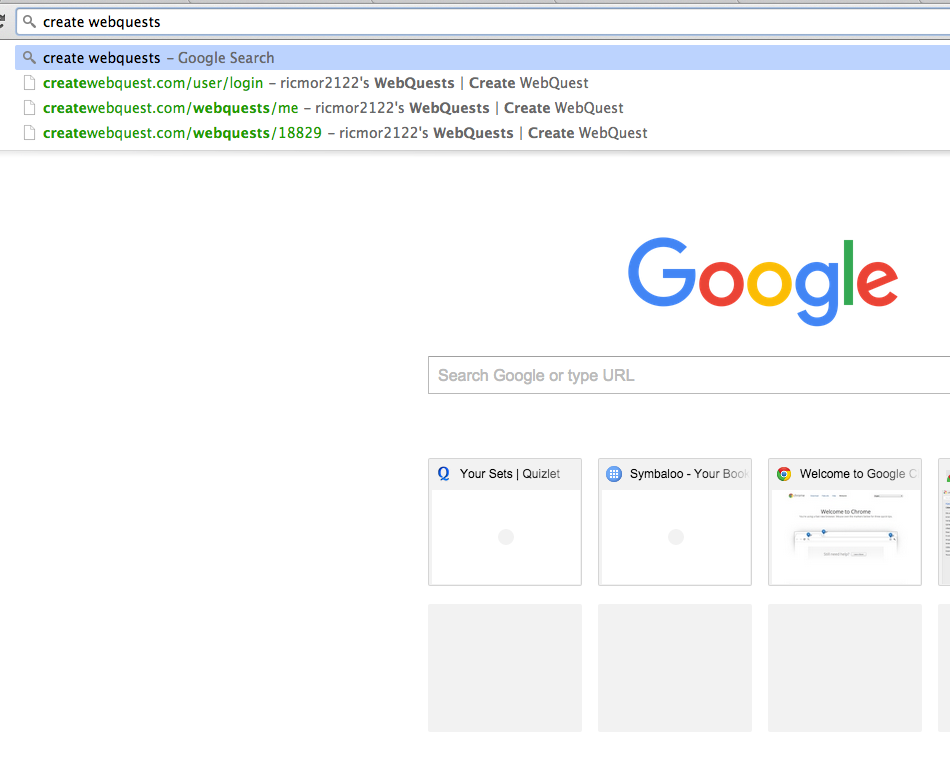
                                                                                                                               First, you want to go to Google and                                                                                                                type in "create webquests."
Evaluation

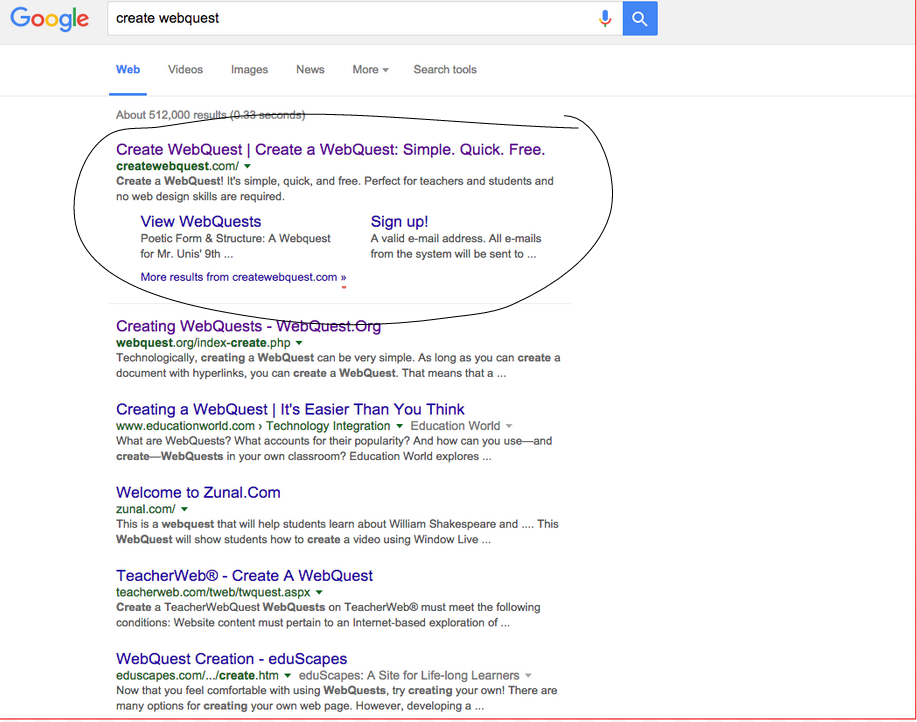
                                                                                                                               When that loads you want to click on                                                                                                                        the first link.
Conclusion
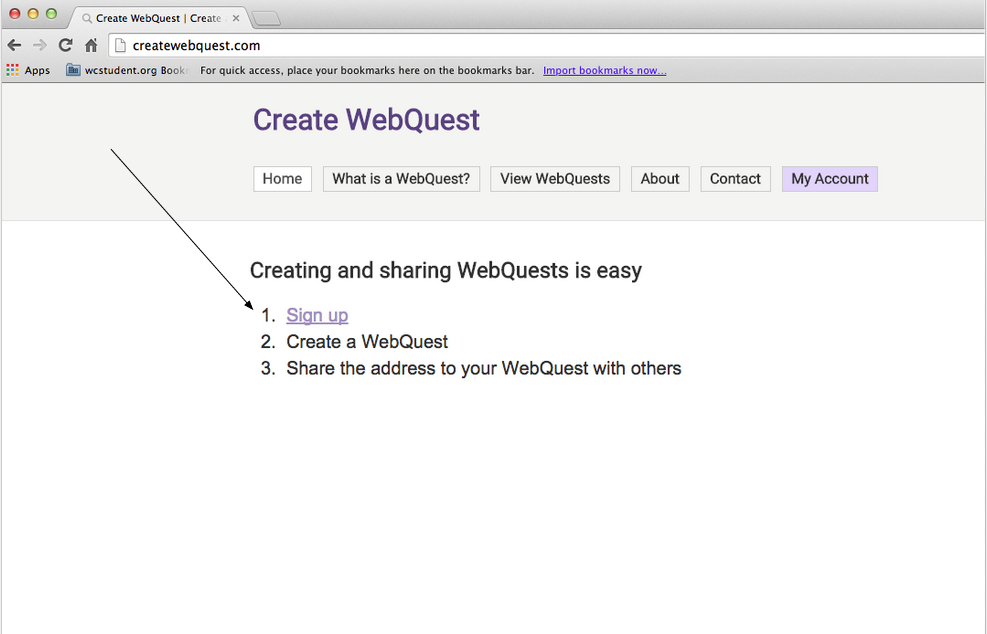
                                                                                                                                                                 

                                                                                                              Do step number 1.                                                                                                                                                                                                                                                                                                                                                                                                             Which is sign up.

This is what the sign up page will look like.

Credits

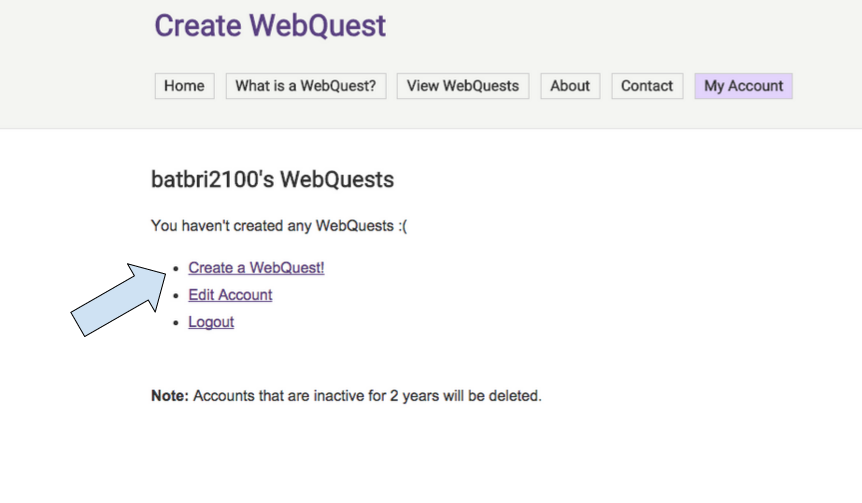
Now that you have signed in you can create a webquests.
Teacher Page

Now you can start creating a webquest! This was pretty easy right? Make sure you add a title and DON'T forget to SAVE or else it will DELETE. Also, if you don't like it you can delete it all. The save and delete buttons are at the left hand bottom corner of the page.

[img_assist|nid=30875|title=5|desc=|link=none|align=left|width=393|height=236]