
Introduction
Voyager 1 and 2 have mysteriously lost contact with Earth. Scientists at NASA have appointed teams from around the world to select music that will go into deep space aboard Voyager 3 and 4. Students, working in groups, will research Baroque, Classic, Romantic and Modern period composers and their music, then select one composer and musical example from each time period to represent Earth. (This webquest is based on Susan Ferdon's A New Voyage.)
Introduction
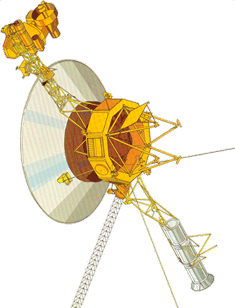
When Voyager 1 and 2 took off in 1977, music from around the world went along for the ride. Scientists believed the spaceships would have enough power to send information to Earth until 2025 but both ships have suddenly lost power. Scientists at NASA are now building new spaceships to take over. Like Voyager 1 and 2, scientists want to put music on board, but time is running out. NASA has chosen teams from around the world to choose the music that will go into deep space on Voyager 3 and 4.
Task
 Task
Task

Working in a group, you willm be assigned one composer and one of their pieces of music to represent earth. Your group will be assigned one composer from each time period to research: Baroque, Classic, Romantic or Modern periods, then you will become the expert for that composer and his or her music. The music you choose NASA will use to send on the next shuttle. You will help create a PowerPoint and will share your choice with the class.
Process
 Step 1. Form groups
In groups decide who will do what: Navigator, Scribe, Digital Specialist, Editor-in-Chief. Read Role Descriptions then meet with teacher (all Navigators, all Scribes, etc.) to review your responsibilities. Since your group may be more four people in your group you may have two scribes.
Navigator: When your group is doing research together, you are in charge of navigating through websites. During the presentation, you will operate the CD player. You are also in charge of researching composers from one period.
Scribe: When your group is doing research together, you are in charge of filling in your group's answers on the worksheet. You will take care of your group's folder, making sure that all group members take the pages theyneed and give them back to you at the end of class. You are also in charge of researching composers from one time period.
Digital Specialist: You are in charge of adding composer images to PowerPoint slides and editing slide layout (font, size, colors). During the presentation, you will run the PowerPoint. You are also in charge of researching composers from one time period.
Editor-in-Chief: You will keep an eye on the time and make sure the group is staying on task.You will help proofread PowerPoint slides for spelling, punctuation and grammar. You are also in charge of researching composers from one time period.
Step 2. Research time periods
Using the links below, your group will gather information about each time period: Baroque, Classic, Romantic, Modern. The navigator is responsible for the computer. All groups members are responsible for reading information and determining what information is important. The scribe will record the group's answers on the Essential Questions Page (one page for each time period). IMPORTANT: Write down the web addresses of the websites that you use information from, you will include these in your presentation.

Step 3. Research composers
Each group member will choose one time period and research the three composers.
- Baroque: J.S. Bach, Handel,Vivaldi
- Classic: Beethoven, Haydn, W.A. Mozart
- Romantic: Tchaikovsky, Verdi, Wagner
- Modern: Debussy, Gershwin, Stravinsky
Using the links, you will fill in one Composer Notes page for each composer you choose (total of three). Remember, each group member is in charge of a different time period. As before, keep track of websites that you use.
Music Website at Capistrano School
Step 4. Choose your favorite composer.
Choose which composer you think should represent your time period. Create a list with at least four reasons why that composer is the best choice.
Step 5. Share information and select composers.
Meet with your group and tell them about the three composers you researched. Next, tell them which composer you like best and why. Your goal is to persuade them to choose the composer you like best, to represent that time period. At the end of the discussion, the group will select one composer from each time period for the Voyager Project.

Step 6. Choose your music.
As a class we listen to songs written by the composers chosen by each group. For your group/time period, choose the song you like best. Fill out the Song Notes page.
Baroque Period
J.S. Bach: Air on the G string, Brandenburg Concerto No. 2, Toccata and Fugue in D minor
Handel: Messiah - Hallelujah Chorus, Minuet II from Royal Fireworks Suite, Water Music - Alla Hornpipe
Vivaldi: Concerto in G major, RV 576 - Allegro, The Four Seasons - Spring, The Four Seasons - Winter,
Classic Period
Beethoven: Fur Elise, Moonlight Sonata, Symphony No. 5
Haydn: Cello Concerto, Surprise Symphony, Trumpet Concerto
W.A. Mozart: Eine Kleine Nachtmusik, Queen of the Night Aria from The Magic Flute, Sonata in A - rondo alla turca
Romantic Period
Chopin: Grande valse brillante, Marche Funebre, Minute Waltz
Tchaikovsky: The Nutcracker - Waltz of the Flowers, Sleeping Beauty - Waltz, 1812 Overture - Finale
Wagner: Die Walkure - Ride of the Valkyries, Lohengrin - Bridal Chorus, Overture to Die Meistersinger
Modern Period
Debussy: Arabesque No. 1, Claire de line, Prelude to the Afternoon of a Faun
Gershwin - An American in Paris, I Got Rhythm, Rhapsody in Blue
Stravinsky - Concerto for Violin in D major - first movement, Rite of Spring - Danse Sacrale, Infernal Dance
Step 7. Make PowerPoint slides
Create a PowerPoint slide for your time period. Include the following information:
- Time Period
- name of time period
- dates of time period
- Composer
- full name
- date & place born/died
- minimum four additional facts
- Song
- title
- (do not insert sound file - play song from CD instead)
- Why the Composer and Song were Chosen
- minimum three reasons for the composer
- minimum two reasons for the song
Use information from the Essentials Questions page, Composer Notes page, and your list to create your slides.
 Step 8. Compile slides, add images
Digital Specialist: Put your group's slides (four) into one PowerPoint (Baroque first, then Classic, etc). Slide design and font should be the same for all four slides. Adjust font size as needed. Next, add an image of each composer to each slides. You will select from images in a folder on the desktop.
Step 9. Edit
Editor-in-Chief: Review notes pages and make sure that information on each slide is accurate. Check for spelling, punctuation and grammar. Add a title slide to the presentation.
Step 10. Presentations
 Using your PowerPoint as a guide, practice sharing your information out loud. Each group member will present his/her time period and slide to the class. Whoever is "Baroque" will also present the Title Slide.