
Introduction
Let's get excited about technology! This year in math you can use some cool features on the math textbook website called "My Math Universe" and other websites to help you learn more about the math topics we cover. Have fun exploring!
Task
Visit the different webpages in order to answer the questions about the topics we have covered so far. These questions well help you better use some great online resources.
Process
Part A: Using My Math Universe (Textbook Website)
For Part A, go to the link below, on the bottom left side of the page in purple click on "Log in to Student Place," then enter your username and password.
http://mymathuniverse.com/cmp3
1) Go the ACTIVe-book menu in the upper left corner and click on it.
2) Click on STUDENT CONTENT.
3) Choose CMP3 Grade 8 Looking for Pythagoras ACTIVe-book.
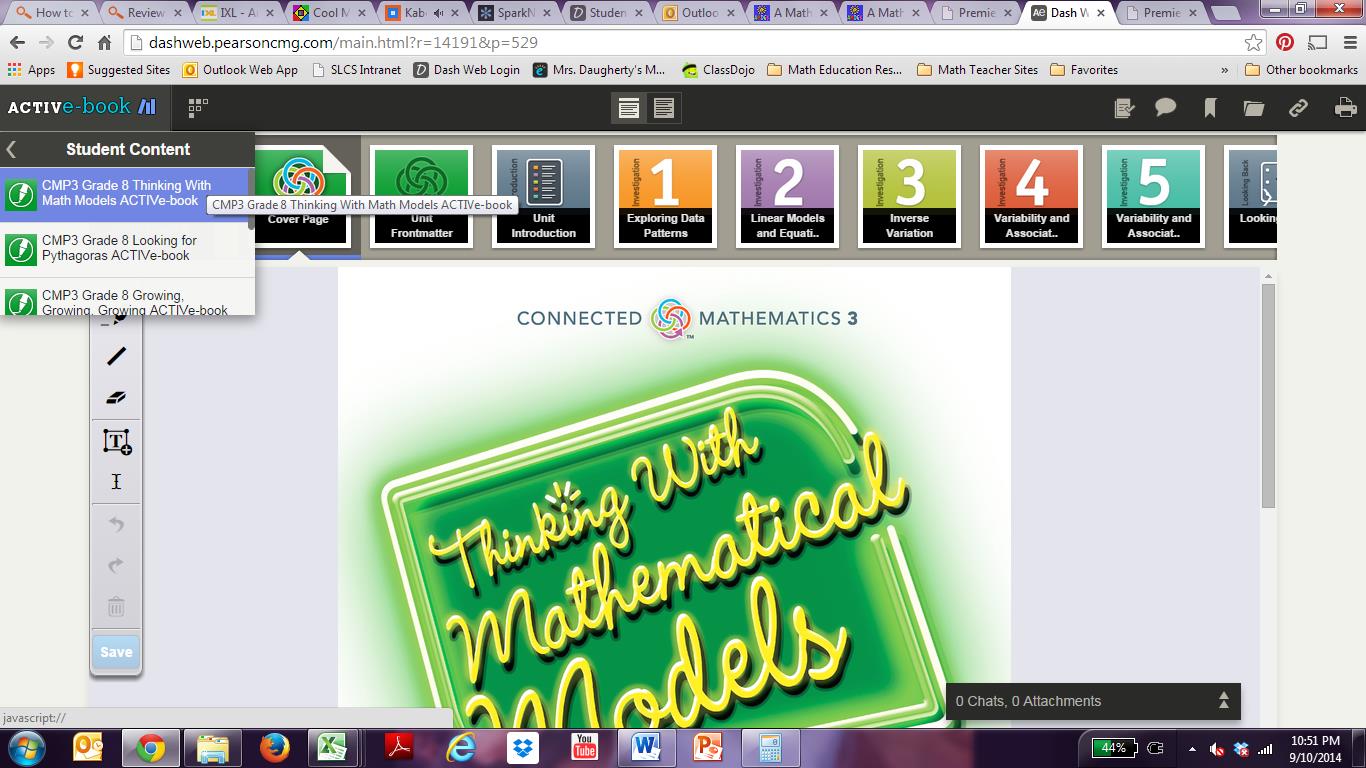
4) The titles of each Investigation will appear across the top of the page. Write these titles on your "Webquest Answer Sheet" for Problem 1.
5) Click on Problem 1.3 Finding Areas. Then, choose "Problem 1.3 Question A" from the menu at the top of the page.
6) Click on the line tool to draw lines (the second option on the toolbar to the left of the screen). Draw lines and make squares to find the answer to question 3. Then, click on the "T" tool for text (the fourth option on the toolbar to the left of the screen). Click under question three to add text. Type your answer. You can drag the box or resize it. When you are finished, your screen should look like the picture below. Click "Save" (the last option on the left toolbar).
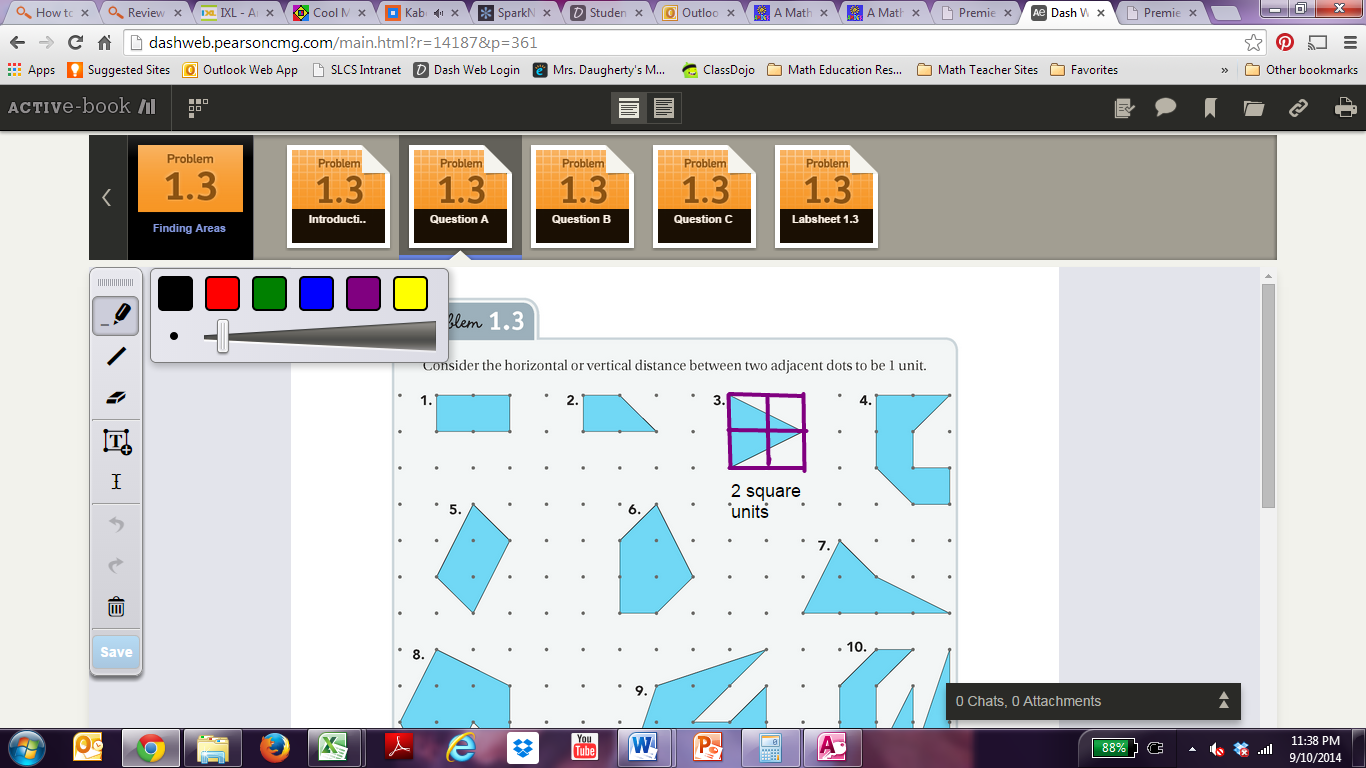
7) Use the back arrow (sixth option on left toolbar) or the eraser (third option on left toolbar) to erase the work for problem 3. Click "Save."
8) Follow the directions above in step 6 for a problem of your choice. Don't forget to click "Save." If you followed the correct steps for one of the ten questions, Mrs. D will be able to check your work from her computer and give you points for this question. Good job! Keep going.
9) Click the white arrow in the top left corner to get back to the main menu. Click on the "ACE Investigation 1" option at the top of the page to see all of the homework problems from Investigation 1.
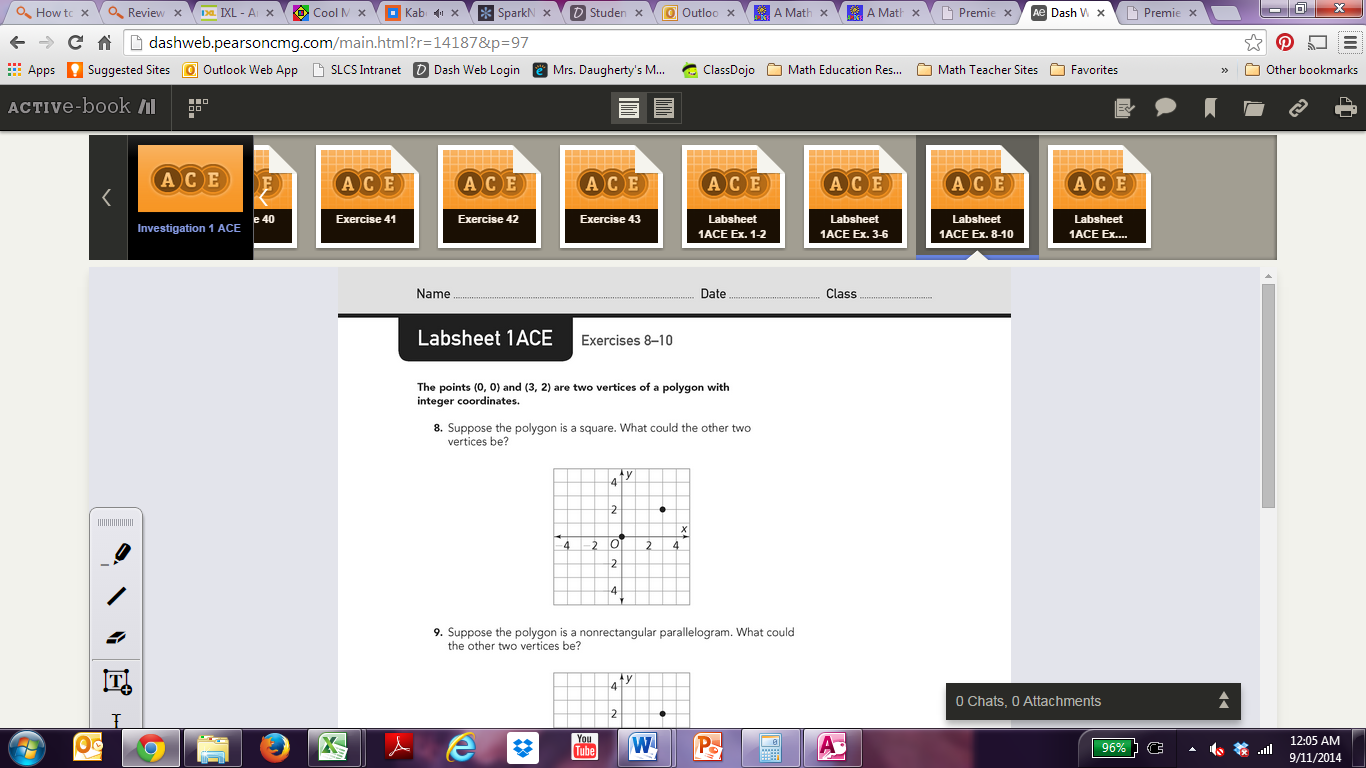
10) You can use My Math Universe to complete any homework problem when you leave your textbook at school. However, it is always good to have a paper copy just in case. Use the arrow at the top right of the page to get to Labsheet 1ACE Ex. 8-10 (shown below). Use the line tool to create a right triangle for exercise 10. Use a textbook to record the coordinates of the vertex that you used to form a right triangle. Click "Save" to earn credit for this question.
11) Click the arrow at the top left corner two times to go back to the main menu with Investigations 1-5. Choose Investigation 3 in green. Click on the Investigation 3 Opener. Write the highlighted vocabulary words for your answer to question 11 on you "Webquest Answer Sheet." These are vocabulary word that you need to know for Investigation 3 that will help you understand the Pythagorean Theorem.
12) Congratulations! You have completed Part A of the webquest. Stay logged into your "My Math Universe" account for Part B.
Part B: Using the Geoboard Math Tool
1) Make sure you are still logged into you "My Math Universe" account.
2) Click on the chain links in the upper left corner like in the picture below.
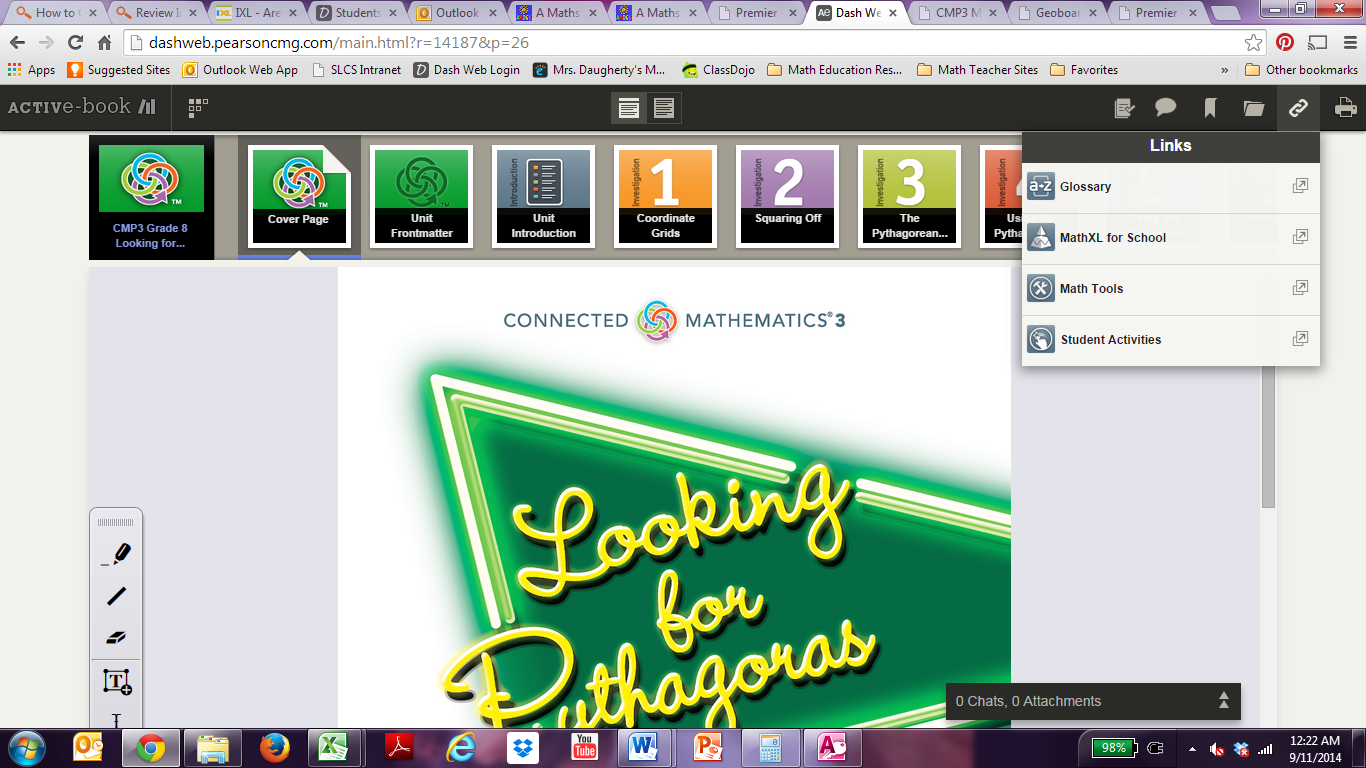
3) Click on "Math Tools." A separate window should pop up with the available "Interactive Math Tools."
4) From the menu of "Interactive Math Tools" choose the Geoboard tool. A separate window should pop up with the Geoboard tool.
5) Choose and then click and drag an oval ring to a dot on the grid. That dot should be circled in the color ring that you chose. Now drag the circle from one dot to the next to create the side of a square. Use the tool to create a square with an area of 4 square units or 8 square units. When this is completed, show Mrs. D, Mr. Meyers, or another teacher to get an initials for this question on your "Webquest Answer Sheet."
6) Congratulations! You have completed Part B of the webquest.