
Introduction
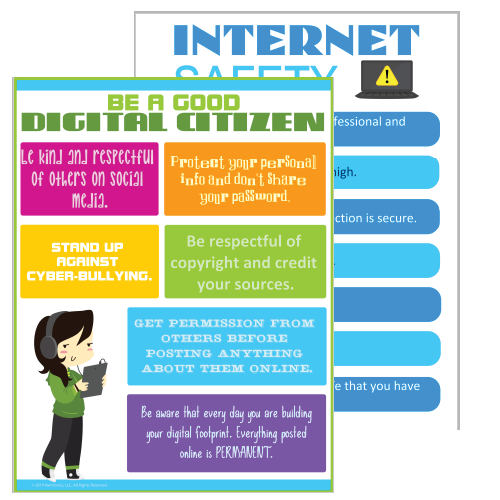
By Mira HuseinoVitch
For Grade Level: Middle/High School
📝 What is Digital Citizenship?
- In today’s world, we spend a lot of time online. But do we know how to stay safe and responsible?
- This WebQuest will help you understand digital citizenship, including online safety, cyberbullying prevention, and protecting your personal information.
💡 Guiding Question: How can we be responsible digital citizens and protect ourselves online?
Task

✅ Your Task:
You will work through five steps to learn about digital safety and create a final project: a Digital Safety Guide for your classmates.
📌 Final Project Options: (Choose one)
- A Poster (online or hand-drawn) about internet safety rules.
- A Short Video (1-2 minutes) explaining how to stay safe online.
- A Google Slides Presentation with key digital citizenship tips.
Process

🛠️ Step 1: What is Digital Citizenship?
- Watch this video: What is Digital Citizenship? (Find a short YouTube video)
- Read this article: https://www.commonsense.org/education/digital-citizenship
🛠️ Step 2: Online Privacy & Security
- Research how to create strong passwords and why privacy settings matter.
- Activity: Create and test a secure password using an online password checker.
🛠️ Step 3: Cyberbullying Awareness
- Read real-life stories about cyberbullying.
- Activity: Write a short reflection on how cyberbullying affects people.
🛠️ Step 4: Avoiding Scams & Misinformation
- Learn about phishing emails and fake websites.
- Activity: Try an online quiz: Can You Spot a Fake Email?
🛠️ Step 5: Create Your Final Project!
- Use the information you learned to create your poster, video, or presentation.
- Make sure to include at least 5 tips for staying safe online!
Evaluation
✅ Grading Criteria:
| Category | Points |
|---|---|
| Understanding of Digital Safety | 10 pts |
| Creativity & Presentation | 10 pts |
| Accuracy of Information | 10 pts |
| Completeness (All 5 Steps Covered) | 10 pts |
| Effort & Engagement | 10 pts |
| Total | 50 pts |
Conclusion

- Congratulations! You have learned how to be a responsible digital citizen.
- Remember: Always think before you click, protect your personal information, and be kind online!
- Want to learn more? Check out these websites https://beinternetawesome.withgoogle.com/en_us/families
Credits
📚 All sources (videos, articles, images) in APA format.
Example:
- Smith, J. (2022). Digital safety for teens. Online Safety Journal, 10(2), 45-50.
- YouTube. (2023). What is Digital Citizenship? Retrieved from https://mediasmarts.ca/digital-media-literacy/general-information/digital-media-literacy-fundamentals/what-digital-citizenship
-
Common Sense Media. (n.d.). Digital citizenship curriculum. Retrieved from https://www.commonsense.org/education/digital-citizenship
-
Google. (n.d.). Be Internet Awesome. Retrieved from https://beinternetawesome.withgoogle.com/en_us/families
-
Utah Education Network. (n.d.). Digital citizenship resources. Retrieved from https://www.uen.org/digcit/
-
New Haven Unified School District. (n.d.). Digital citizenship and internet safety resources. Retrieved from https://mynhusd.org/families/digital-citizenship-internet-safety-resources/
-
Poster on Digital Citizenship & Internet Safety
VariQuest. (n.d.). Digital citizenship and internet safety poster pack. Retrieved from https://info.variquest.com/digital-citizenship-and-internet-safety-poster-pack-download -
Infographic on Online Safety Tips
Morris, K. (2017). Teaching digital citizenship: 10 internet safety tips for students. Retrieved from https://www.kathleenamorris.com/2017/11/01/teaching-digital-citizenship-10-internet-safety-tips-for-students/ -
Digital Citizenship Poster for Kids
Educational Technology and Mobile Learning. (2014). Awesome digital citizenship poster for young learners. Retrieved from https://www.educatorstechnology.com/2014/05/awesome-digital-citizenship-poster-for.html